
You have some old text. You need a fresh version. Fast.
That’s what the Article Rewriter by SpellMistake is for. It’s a free web tool. You paste your text in, and it gives you a new version back. No sign-up. No cost.
In this guide, you’ll learn how it works, what it’s good at, where it falls short, and how to get the best results from it. We’ll also compare it to other free tools, so you can pick the right one for your task.
What Is the Article Rewriter by SpellMistake?
It’s a free tool at spellmistake.info. You paste any text into a box. You click a button. The tool rewrites your text in new words and a new sentence order.
It does not just swap words like an old-school “spinner” tool. It tries to keep the sentence flow natural. That means the output should read like a real person wrote it, not a robot.
You don’t need an account. You don’t need to pay. You just open the page and use it.
Why Do People Need to Rewrite Content?
There are a few common reasons:
- Students want to paraphrase notes or research without copying word-for-word.
- Bloggers want to update old posts or reuse ideas on a new page.
- SEO teams need several unique pages that cover the same topic.
- Writers want to beat writer’s block by starting with a rough draft.
- Business owners need quick website text but don’t want to hire a writer for every page.
Search engines like Google also rank duplicate content poorly. So a clean, unique version of your text can help your page perform better.
Key Features at a Glance
| Feature | What It Means for You |
|---|---|
| Free to use | No cost, no hidden fees, no word cap |
| No sign-up | Use it right away, no account needed |
| Sentence restructuring | Rewrites sentence order, not just single words |
| Context-based word swaps | Picks words that fit the sentence, not random synonyms |
| Fast output | Get results in seconds, even for long text |
| Works on any content type | Blog posts, essays, product text, captions, and more |
How to Use the Article Rewriter by SpellMistake (Step by Step)?
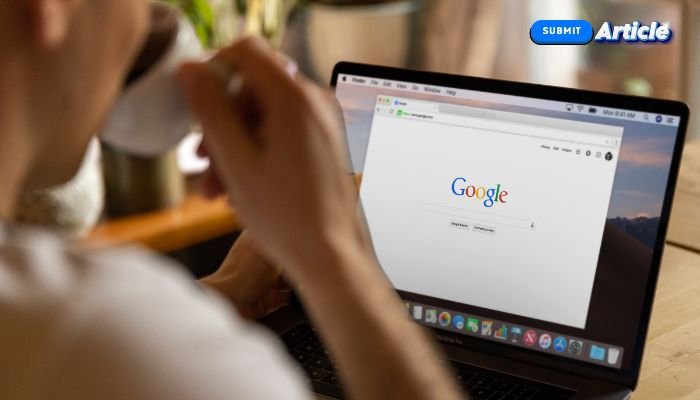
- Search “SpellMistake Article Rewriter” on Google
- Find the Article Rewriter tool on the site.
- Paste your original text into the input box.
- Click the rewrite button.
- Read the new text. Check that it still says what you meant.
- Copy and use it wherever you need.
The whole process takes under a minute for most short pieces.
Pros and Cons: An Honest Look
Most reviews only list the good parts. Here’s the full picture.
| Pros | Cons |
|---|---|
| Free, with no word limits | Long or technical text may need manual edits |
| No account or login needed | Rewritten tone can feel generic on niche topics |
| Fast results | No control over tone (formal, casual, etc.) |
| Simple, clean interface | Best used for a first draft, not a final one |
| Good for quick paraphrasing | Not a substitute for human editing on important content |
The tool works best as a starting point. Always give the final text a quick read before you publish it.
Article Rewriter by SpellMistake vs. Other Free Rewriters
Here’s how it stacks up against common alternatives, based on typical features found across free rewriting tools:
| Factor | SpellMistake Rewriter | Typical Free Spinners | Typical Paid Tools |
|---|---|---|---|
| Cost | Free | Free | Monthly fee |
| Sign-up required | No | Often yes | Yes |
| Word limit | None stated | Often capped | Higher caps, paid tiers |
| Output style | Sentence-level rewrite | Word-swap only | Sentence-level + tone control |
| Best for | Quick, casual rewrites | Bulk, low-quality spins | Professional, polished content |
If you need a quick, free rewrite with no strings attached, this tool fits well. If you need tone control, brand voice, or long-form polish, a paid AI writing tool may serve you better.
5 Tips to Get Better Results
- Paste clean text. Remove extra line breaks or symbols first. Messy input gives messy output.
- Rewrite in smaller chunks. Long blocks of text can lose meaning. Try 200-300 words at a time.
- Read the output out loud. This catches awkward phrasing fast.
- Add your own intro or ending. This makes the piece feel more personal and unique.
- Run a plagiarism check after. Even good rewrites should be checked before you publish or submit them.
Read: Sitemap Generator SpellMistake: Create a Free XML Sitemap Fast 2026
Common Mistakes to Avoid
- Don’t skip the review step. Even a good tool can miss context. Always proofread.
- Don’t rewrite the same text twice in a row. This can create odd, repetitive phrasing.
- Don’t use it to copy someone else’s work word-for-word first. Start with your own notes or an outline when possible, especially for schoolwork.
- Don’t expect perfect grammar every time. Quick tools can still make small errors. A final check saves you from mistakes.
Who Should Use This Tool?
- Students who want to paraphrase research safely
- Bloggers refreshing old posts
- SEO writers who need several unique versions of one idea
- Freelancers speeding up first drafts
- Small business owners writing quick website copy
- Non-native English speakers polishing their drafts
Frequently Asked Questions
Is the Article Rewriter by SpellMistake really free? Yes. There’s no cost and no hidden fee. You can use it as many times as you like.
Do I need to sign up or log in? No. You just open the page and paste your text.
Will the rewritten text be 100% unique? It will differ from the original in wording and sentence order. But you should still run a plagiarism check for important work, like school papers.
Can I use it for SEO content? Yes, many SEO writers use it to create unique versions of similar content. Just review the output so it still reads naturally and matches your brand voice.
Is it safe to use for schoolwork? Use it as a paraphrasing aid, not a shortcut around your own ideas. Many schools require you to understand and cite your sources, even after rewriting.
Does it work on long articles? Yes, but shorter chunks (200-300 words) tend to give cleaner, more accurate results.
Is there a word limit? The tool does not state a fixed word limit, but very long text may take longer to process and need more review.
Final Thoughts
The Article Rewriter by SpellMistake is a solid, free choice when you need a quick rewrite. It’s fast, it’s simple, and it costs nothing. Just remember: it’s a first draft tool, not a final-polish tool. Always give your rewritten text a quick read-through before you use it.